OpenAI just launched ChatGPT Atlas, its first AI-native browser, available now for free on macOS. This isn’t just a new tab; it’s a strategic move to bypass Google Chrome and Microsoft Edge as the primary gateways to the web. For investors, this signals OpenAI’s intent to own the user interface layer of the internet, not just the models behind it.

A Direct Channel to Users
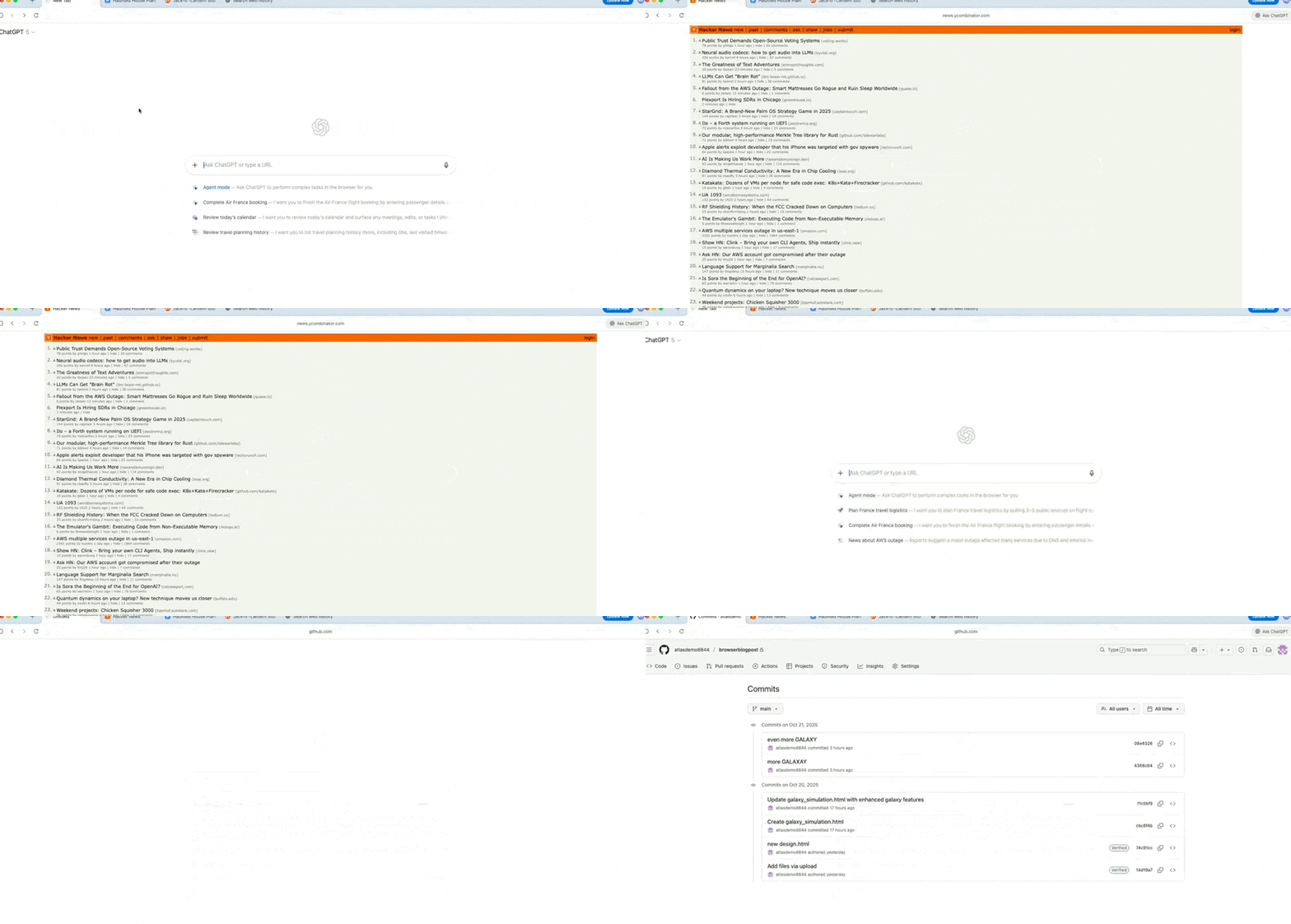
The browser integrates ChatGPT’s conversational capabilities directly into every tab. You can chat immediately upon opening the window. This creates a seamless loop between browsing and querying, reducing friction for users who rely on AI assistance while researching.
Contextual Awareness Without Copy-Paste
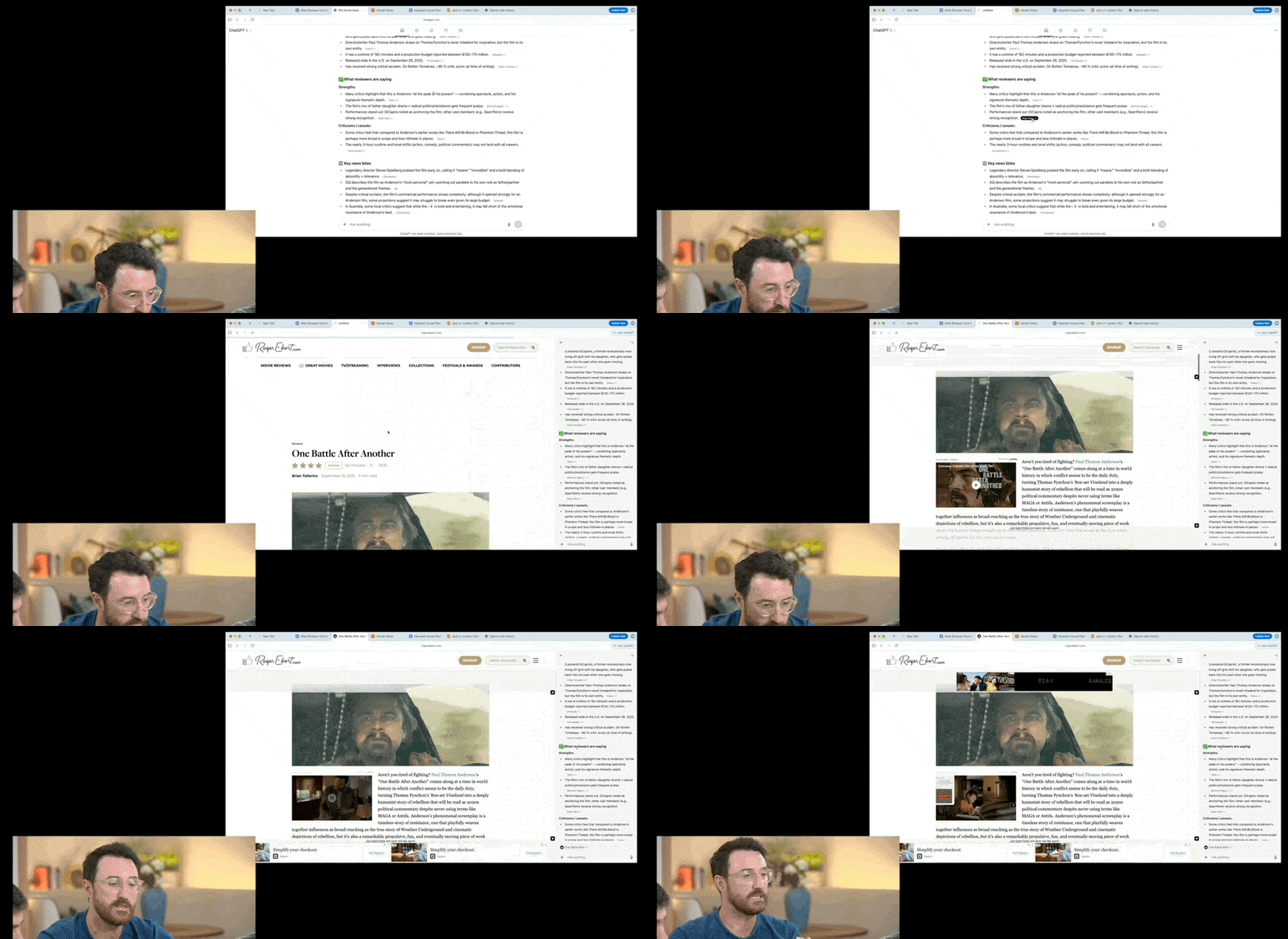
The Browser Context Assistant allows users to ask questions about the specific page they are viewing. There is no need to copy text or provide background context manually. This feature attempts to solve the fragmentation problem between search engines and AI chatbots by keeping the context local to the browser session.
Persistent Memory and Editing Tools
Built-in Memory tracks key content, started tasks, and followed topics if enabled. Additionally, the “Cursor Chat” feature lets users select text to edit or rewrite without switching windows. These features aim to keep users within the OpenAI ecosystem for longer periods, increasing engagement metrics that matter for valuation.
Agent Mode: Automating Web Tasks
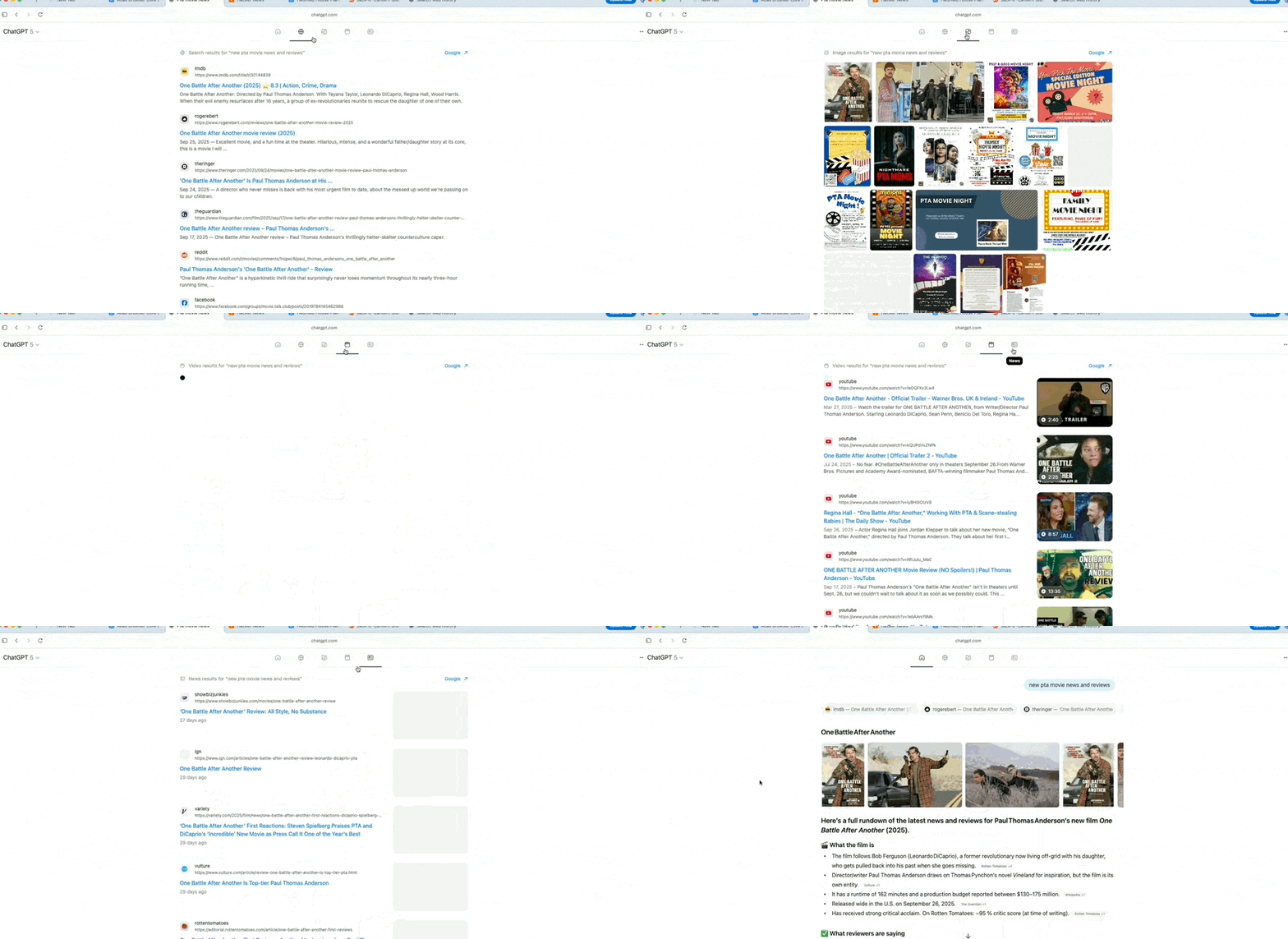
The browser includes an Agent Mode where ChatGPT performs operations on web pages. Capabilities include deep research, comparisons, form filling, adding items to shopping carts, and booking flights or restaurants. This moves beyond passive information retrieval into active transactional execution, a significant step toward autonomous AI agents.
Redefining the Internet Entry Point
This launch represents a new entry point for OpenAI. It acts as a traffic gateway that allows users to access ChatGPT without going through Google Chrome or Microsoft Edge. Since the emergence of ChatGPT, search has been redefined; now, OpenAI is officially stepping in to redefine browsers and internet entry points.
Starting today, Apple Mac users can download and use it first. This initial release on macOS suggests a controlled rollout strategy before expanding to Windows and mobile platforms.
Honestly, openAI is building its own walled garden for web interaction, threatening browser duopoly margins. I think agent capabilities turn the browser from a viewing tool into an execution engine for AI tasks. The way I see it, early macOS availability limits immediate market impact but signals serious infrastructure investment.
OpenAI’s Play for the Browser OS: Why Atlas Matters Now
OpenAI is no longer just selling API access or subscription seats; it is building an operating system for the web. The launch of ChatGPT Atlas marks a pivot from passive AI assistance to active control over user workflows. For investors, this signals an attempt to lock users into OpenAI’s ecosystem before competitors can replicate the agent infrastructure. For buyers, it raises immediate questions about data sovereignty and dependency on a single vendor for core browsing functions.
The Chromium Foundation vs. The “AI-Native” Claim
OpenAI describes ChatGPT Atlas as a truly AI-native, AI-driven browser. However, the underlying architecture remains Google’s open-source Chromium engine. This is not an innovation in rendering; it is an integration strategy.
The product functions as an integrated tool combining “browsing + conversational chat + task agents.” It does not replace the web; it overlays intelligence onto it. While you browse, ChatGPT operates alongside and can “operate” the page under specific conditions. This is a wrapper play, but one designed to capture high-intent user actions.
Honestly, the tech stack is commoditized; the moat is the agent workflow integration. I think openAI is betting on context retention as its primary competitive advantage.
Sidebar Integration: Killing the Tab Switching Tax
The first major shift is the integration of ChatGPT capabilities into every tab. In traditional browsers, users must open a webpage, navigate to ChatGPT separately, or open a new tab to chat. Atlas eliminates this friction. You can ask questions about or chat regarding current webpage content directly in the sidebar next to each tab.
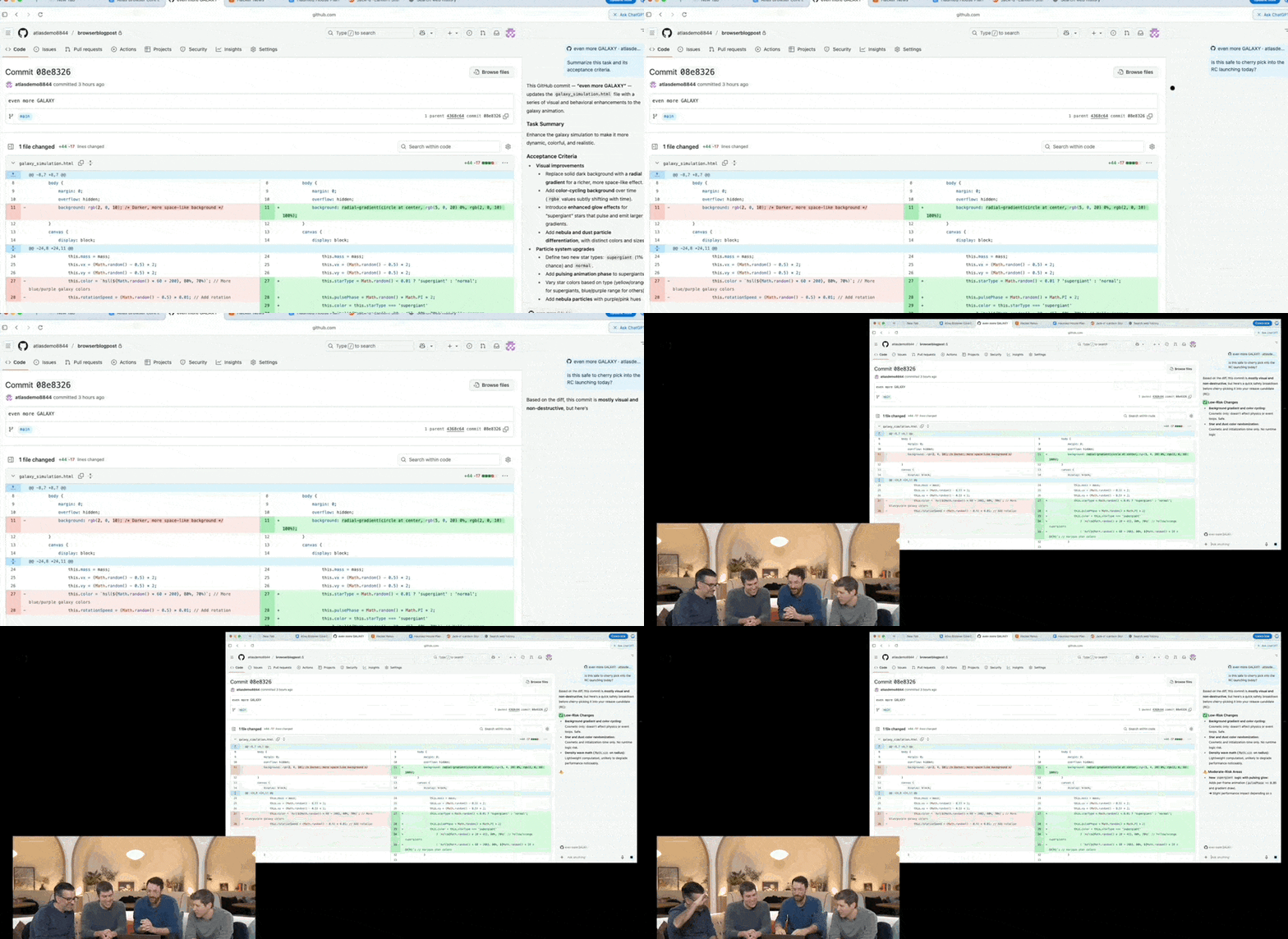
For example, if you are viewing this article on our site in the browser, you can directly ask, “What is the core argument of this article?” or “What are the pros and cons of ChatGPT Atlas compared to other browsers?” There is no need to copy and paste URLs or the content you wish to inquire about. This reduces cognitive load but increases vendor stickiness.
The way I see it, convenience here is a trap; it accelerates your reliance on OpenAI’s model for every query.
Contextual Awareness and The Privacy Trade-off
The second capability is enhanced assistant functionality. When viewing content, provided login and privacy permissions are granted, ChatGPT is also “viewing” it with you. It provides targeted answers based on your specific context. If you are looking at travel guides or websites, ChatGPT likely understands the context that you might need something like a “7-day Sanya itinerary.” It can help plan and generate content more precisely. Additionally, there is an “Ask ChatGPT” sidebar next to the page where users can interact at any time.
The third capability introduces memory into the browser. Once Browser Memory is enabled, ChatGPT remembers the background information of websites you visit and retrieves this information when needed. Therefore, when you need assistance, there is no need to provide background context or prompts; simply tell ChatGPT: “Find all job recruitment listings I browsed last week, summarize industry trends, and help me prepare for interviews.”
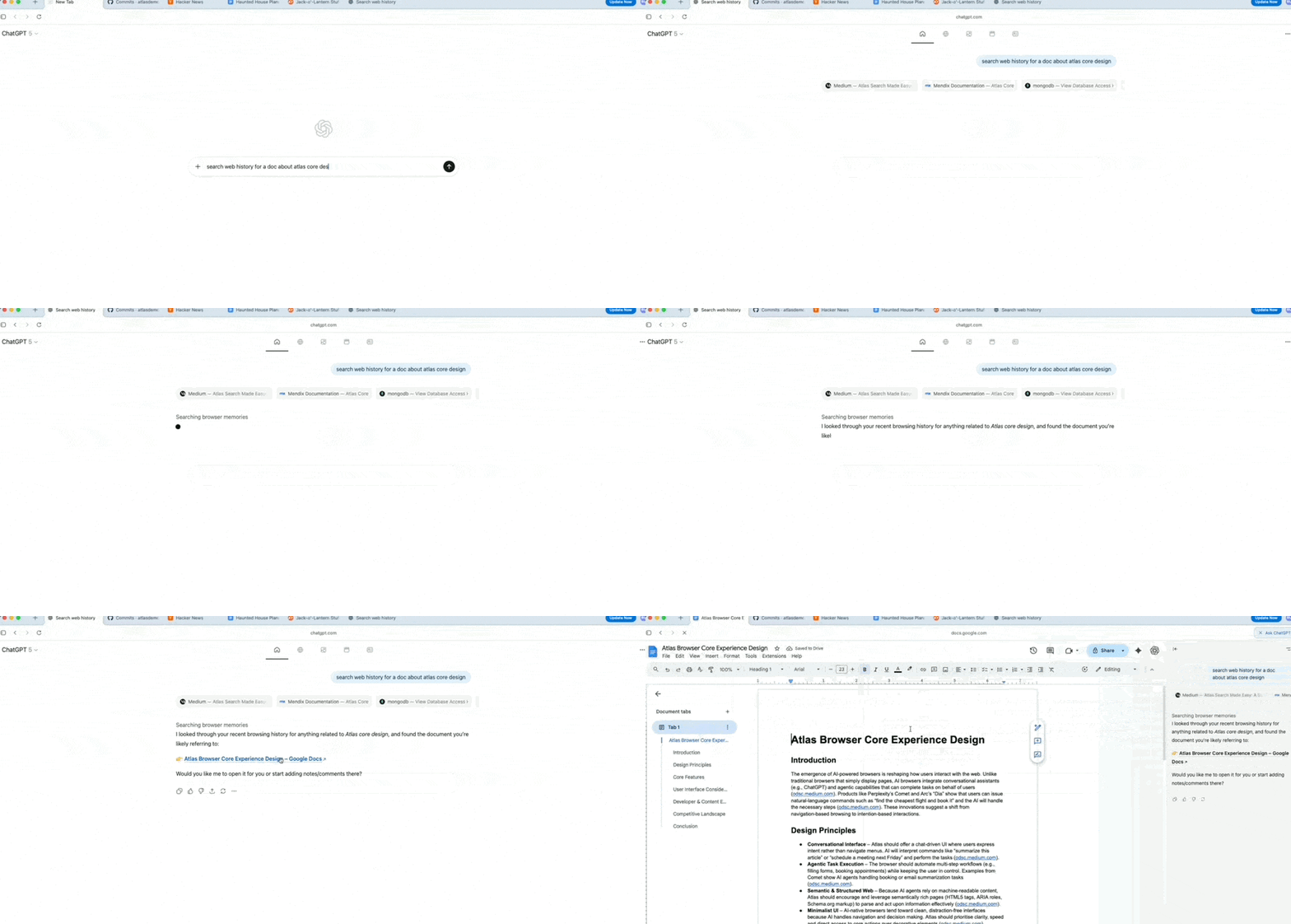
This raises the critical issue of user browsing privacy. OpenAI emphasizes that the browser memory feature in Atlas is entirely optional. Users can view or archive memories at any time in settings, and clearing browsing history will simultaneously delete related browser memories. I read this as a liability shield for OpenAI; they are offering convenience but retaining the right to structure your data within their walled garden.
Honestly, the privacy controls are adequate on paper, but the value proposition requires surrendering significant behavioral data.
Cursor Chat and Agent Mode: The Real Revenue Driver
The fourth feature is “Cursor Chat,” which allows you to select text and directly ask ChatGPT to edit, polish, or rewrite it. This increases efficiency in replying to emails, organizing reports, or rewriting information, saving the need to switch between different products and applications.
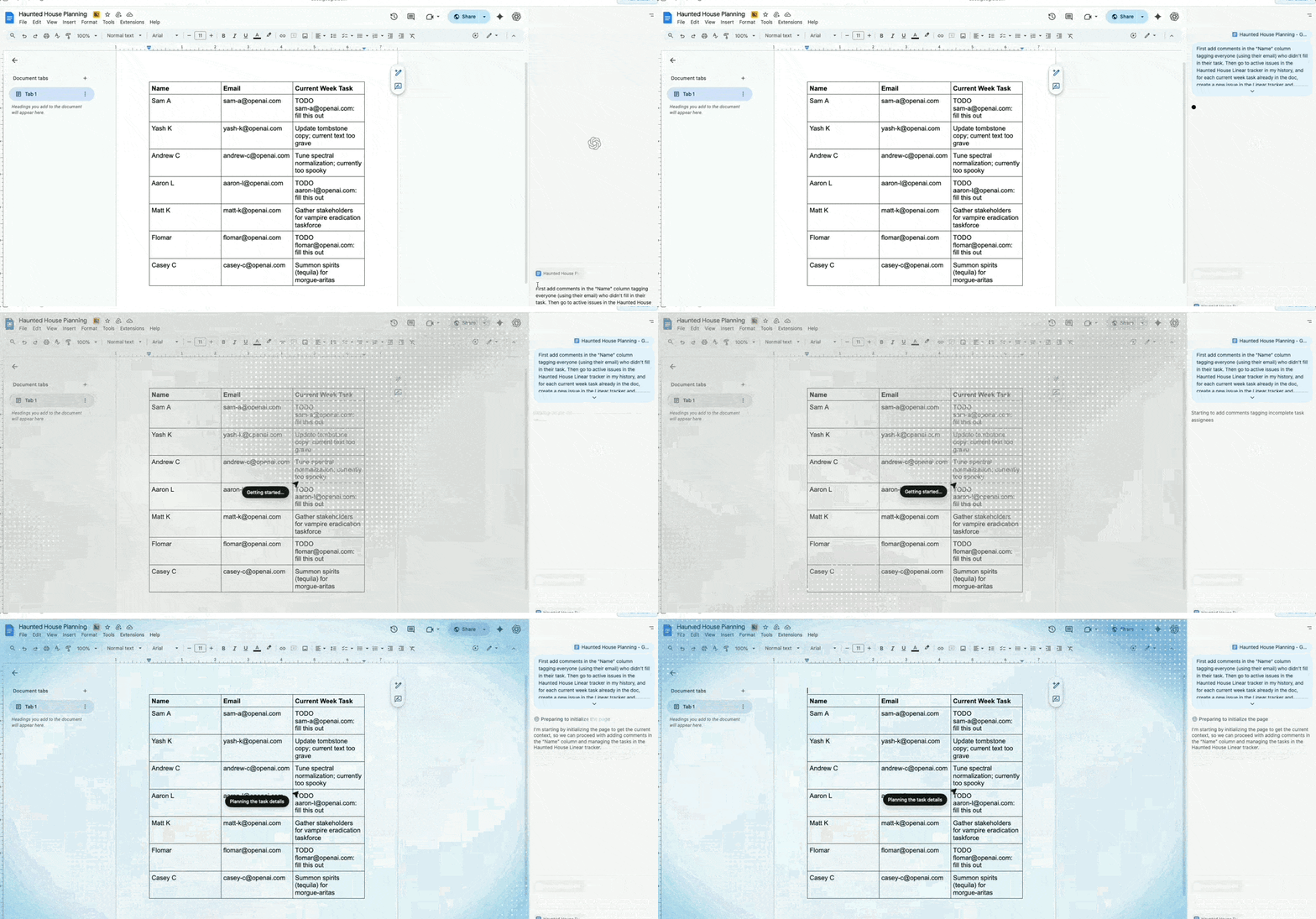
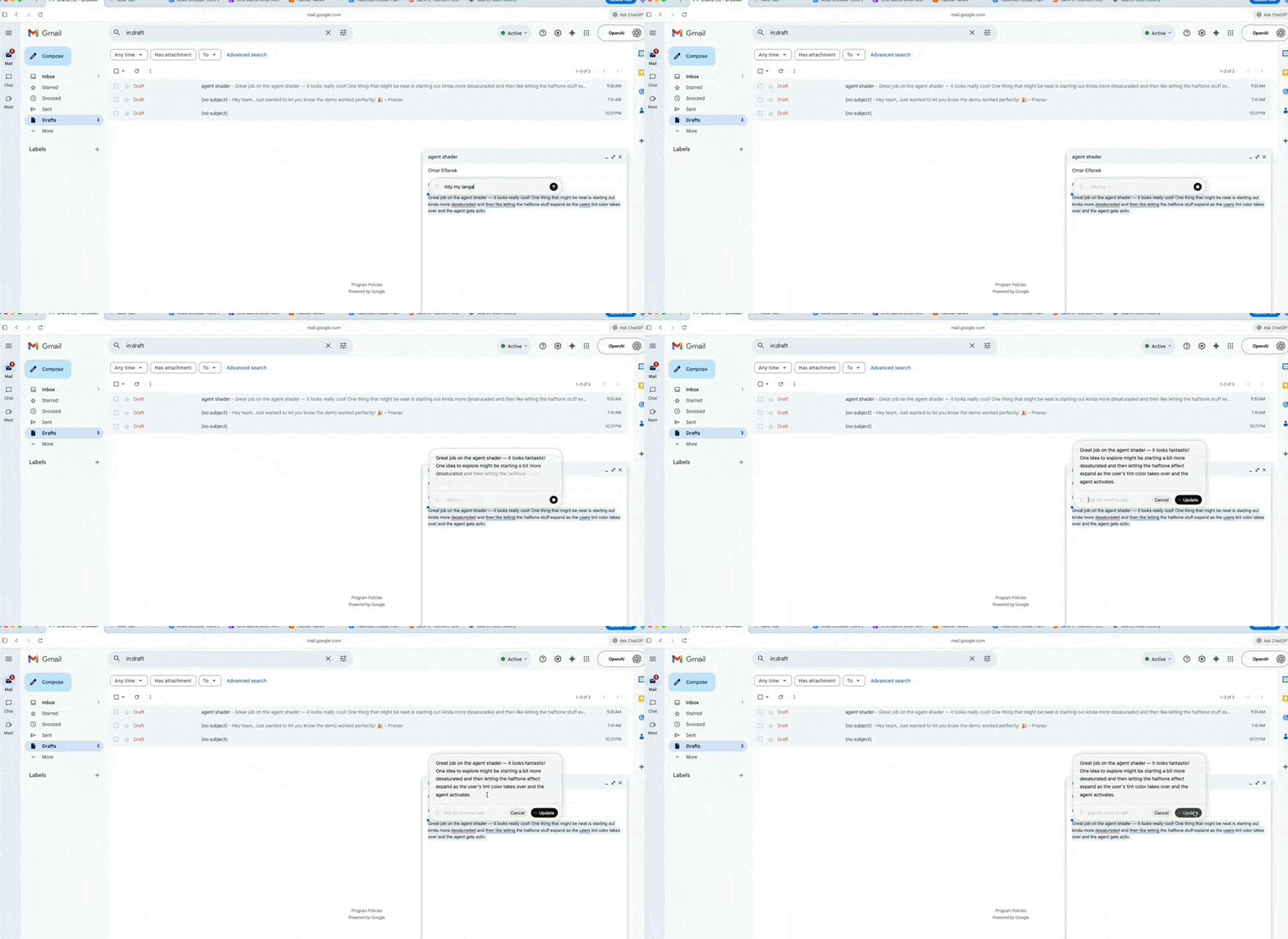
Essentially, OpenAI wants you to complete everything you do online within the ChatGPT Atlas browser—in fact, opening just this one browser may be sufficient.
The fifth capability is Agent Mode. This mode leverages your browsing context for faster speed and greater practicality, enabling better research and analysis, task automation, and itinerary planning or booking while you browse. For example, if you give ChatGPT the instruction, “I want to host a dinner party; help me find recipes, put the required ingredients in the shopping cart, and place an order for delivery.” Atlas’s Agent Mode attempts to complete the entire process from research to ordering on your behalf.
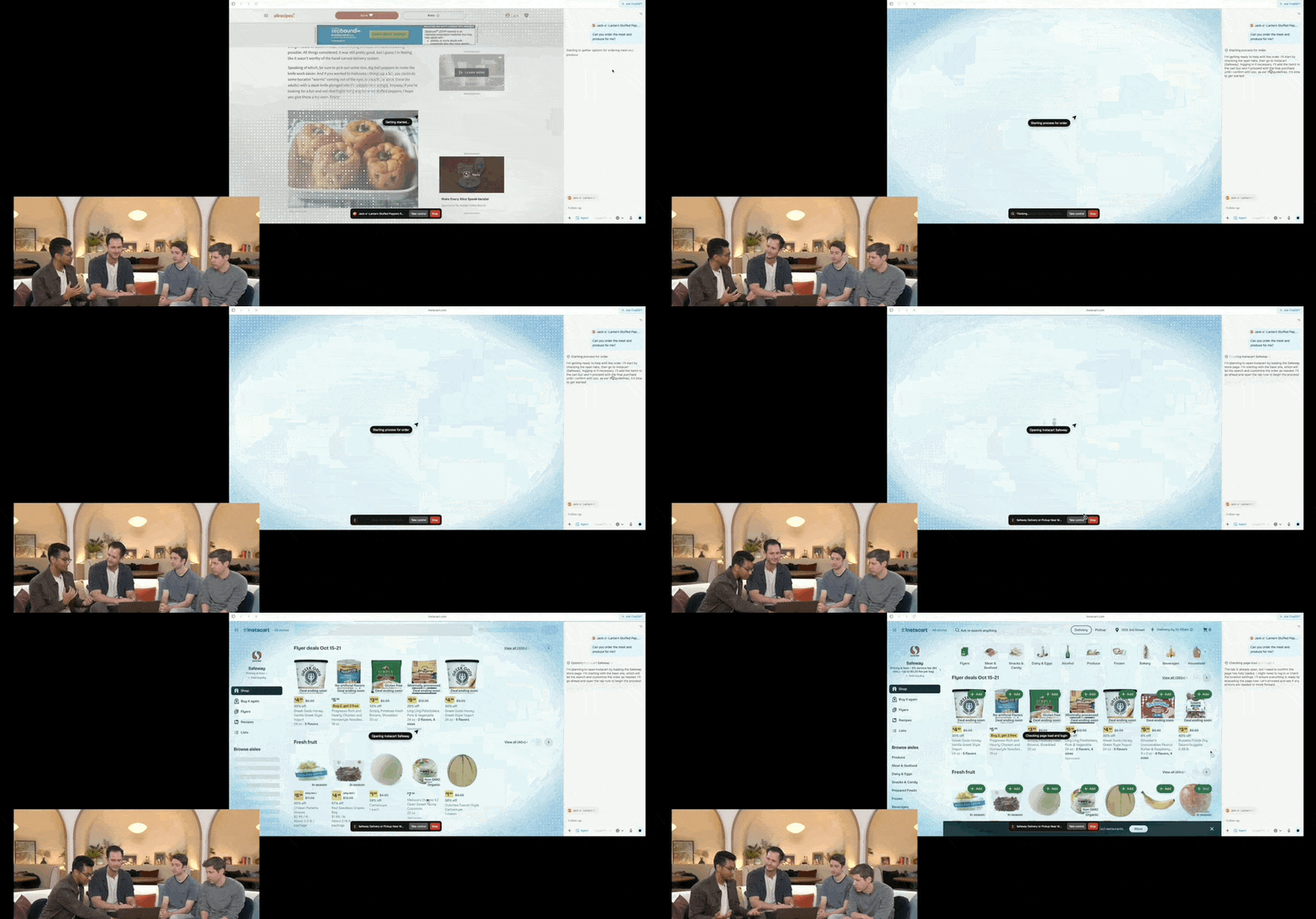
This is a major weapon reserved by OpenAI under the Agent process. After all, as model capabilities enhance and various Agents proliferate, OpenAI can build an entirely new Agent ecosystem around the browser, similar to what Google Chrome has done. Agent capabilities are also one of OpenAI’s business models for ChatGPT Atlas—currently,
I think the agent economy is where the real margin lies, not in the browser license itself.
The Atlas Browser: A Controlled Sandbox for AI Agents
The launch of the ChatGPT Atlas browser marks a pivot from passive chat interfaces to active agent execution, but OpenAI is building walls before it builds bridges. By restricting code execution and file system access in this initial release, they are signaling that trust is not yet earned. For investors watching the valuation of autonomous AI agents, this cautious approach suggests the commercialization timeline for unrestricted automation is further out than vendors claim.
The way I see it, openAI is prioritizing liability containment over agent capability in this first release.
Access Tiers and Security Concerns
The Agent mode is available in preview for paid users (Plus, Pro, and Business). This gating strategy reinforces the subscription model while limiting the blast radius of any potential security failures to a paying cohort.
Notably, risk and privacy security have been the most concerned and questioned issues following the release of the ChatGPT Atlas browser. The market is skeptical of AI companies handling user data with autonomous tools, making this launch a high-stakes test of consumer confidence.
OpenAI has repeatedly emphasized that it prioritized safety from the start and implemented multiple enhancements. I read these statements carefully; they are defensive measures designed to preempt regulatory scrutiny rather than features that drive immediate utility.
Honestly, the paid-only preview limits exposure but also restricts the network effects needed for rapid adoption.
Hard Limits on Agent Behavior
What can ChatGPT Atlas not do? The restrictions define the product’s current maturity level:
It cannot run code, download files, or install extensions within the browser;
It cannot access other applications on your computer or the file system;
Operations will pause on specific sensitive websites (such as financial institutions) to ensure user confirmation;
Agent capabilities are restricted in logout mode to limit risks associated with accessing sensitive data and performing actions on behalf of users.
These constraints create a walled garden. While they mitigate risk, they also strip away the primary value proposition of an AI agent: seamless integration into your digital workflow. If it can’t touch your files or run scripts, it’s just another browser tab with a chat window.
I think the sandbox is too restrictive to replace traditional workflows for power users today.
Privacy Controls and Parental Safeguards
Additionally, OpenAI has set up a Parental Control mode. This inclusion highlights the broad demographic targeting, extending beyond tech-savvy professionals to households concerned about AI autonomy.
Finally, most importantly, this browser allows users to enable or disable memory capabilities and browsing history memories, which are closely related to user privacy. The ability to toggle memory is a critical feature for enterprise adoption, where data leakage is a top concern.
It supports Incognito Mode. This standard feature ensures that casual browsing remains separate from AI-driven tasks, offering a layer of psychological comfort to users wary of persistent tracking.
The way I see it, granular privacy controls are necessary but insufficient without proven security audits.
Why OpenAI’s Browser Move Targets Google Now
I see this release as a direct strike at Google. With Gemini 3 imminent, OpenAI is racing to secure its own traffic entry point. They cannot rely on Chrome’s dominance if they want to control search and advertising revenue. This browser is their end-to-end platform for capturing user attention before Google reshapes browsing with AI.
Honestly, openAI is betting its future on controlling the interface, not just the intelligence behind it.
From Passive Tools to Active Agents
The shift here is structural. Traditional browsers render pages; ChatGPT Atlas executes tasks. I read the release notes: “Agent Mode” allows the AI to handle price comparisons, shopping, and bookings directly within the browser. This moves AI from passive recommendation to active execution. It confirms that we are entering an Agentic era where assistants act on behalf of users.
I think if browsers become task executors, Google’s ad model faces a foundational threat.
Reshaping Internet Business Models
This change forces every sector to rethink its user interface. E-commerce, travel, financial services, and SaaS must adapt to an agent-driven delivery method. OpenAI is testing paid subscriptions with Agent features now, but the long-term play involves aligning with Apple’s app ecosystem. The browser is no longer just a tool; it is a platform for automation.
The way I see it, valuation hinges on whether agents can replace traditional search funnels entirely.
Official Link:
Comments
Sign in to join the discussion and leave a comment.
Sign in with Google